50 Things You Can Do With Google Classroom
7. Simplify the Turn-In Process
When using Google Documents, students often forget to change the sharing settings or to turn in their work. As a result, the teacher cannot view or access the assignment. Google Classroom eliminates this issue by placing the document in the teacher’s and the student’s Google Drive immediately. This gives both of them access to the document.
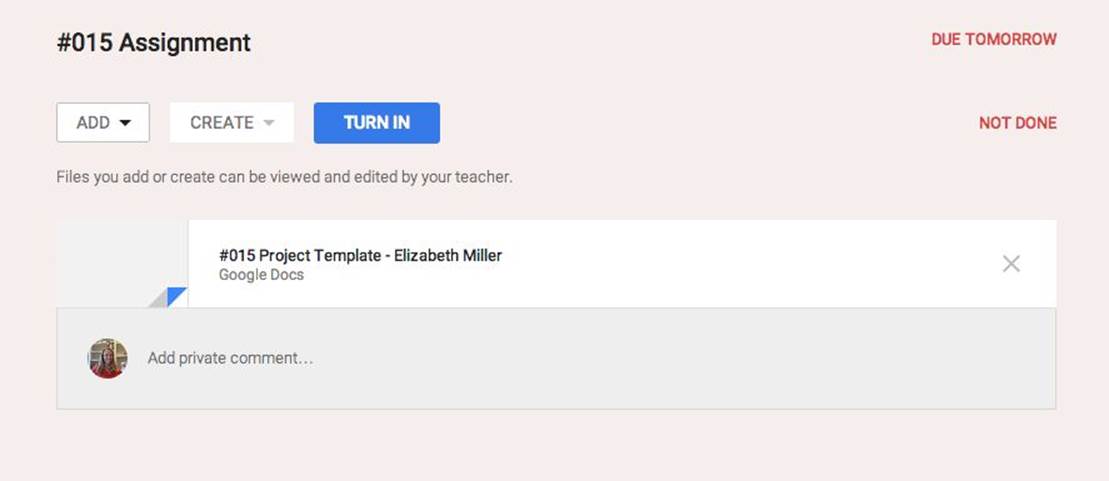
Google Classroom provides the students with a turn-in button to signal the teacher they are ready to have their work assessed. When students use the turn-in button to submit an assignment, the ownership of the document is transferred to the teacher. After submitting, the student still has viewing rights, but they are unable to edit or change the content.
All materials on the site are licensed Creative Commons Attribution-Sharealike 3.0 Unported CC BY-SA 3.0 & GNU Free Documentation License (GFDL)
If you are the copyright holder of any material contained on our site and intend to remove it, please contact our site administrator for approval.
© 2016-2026 All site design rights belong to S.Y.A.