50 Things You Can Do With Google Classroom
22. Share with Multiple Classes
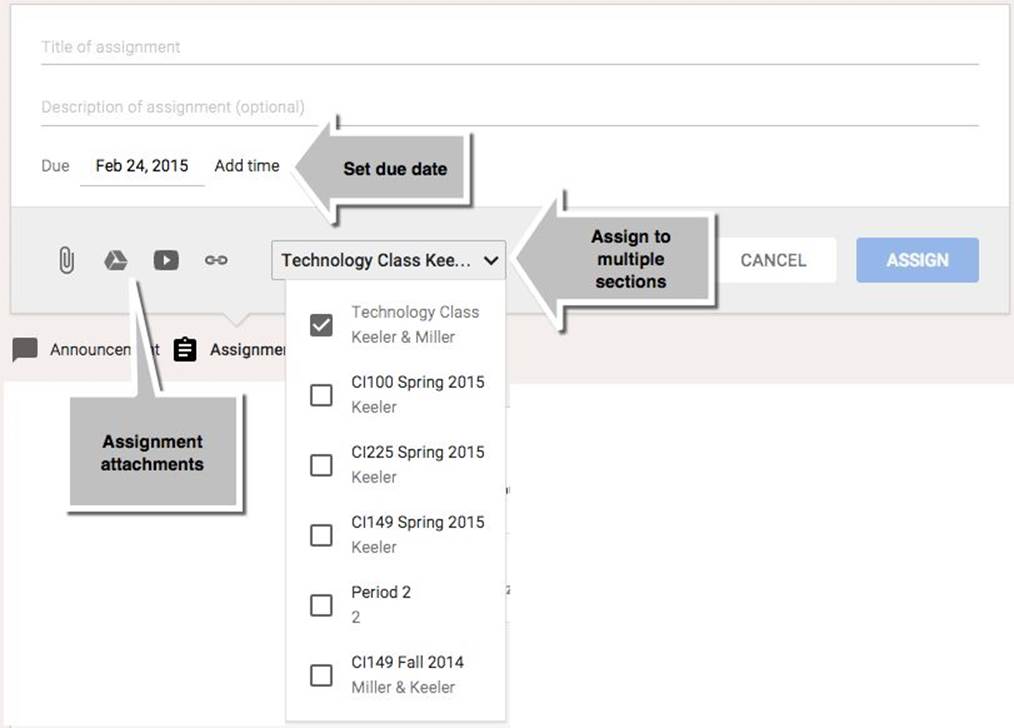
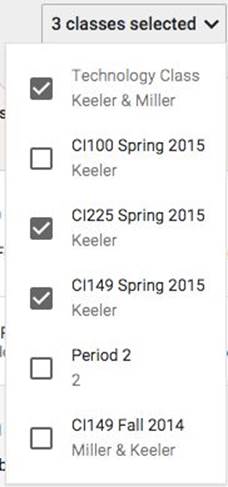
If a teacher teaches multiple sections of the same course, Google Classroom can create the assignment in each section. From the stream, teachers can choose to create an assignment or an announcement. After creating an assignment title and description, the teacher can set the due date, attach files or links, and can copy the assignment to multiple class sections. The list of class sections is available along the bottom of the assignment or announcement in a dropdown menu. Assignments can be copied for up to 10 classes.
All materials on the site are licensed Creative Commons Attribution-Sharealike 3.0 Unported CC BY-SA 3.0 & GNU Free Documentation License (GFDL)
If you are the copyright holder of any material contained on our site and intend to remove it, please contact our site administrator for approval.
© 2016-2026 All site design rights belong to S.Y.A.