50 Things You Can Do With Google Classroom
40. Students Create Google Docs
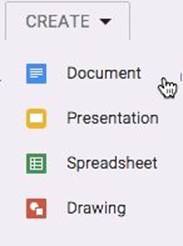
When viewing the assignment submission page, students can click “Create,” which allows them to start a new Google Document, Presentation, Spreadsheet, or Drawing. This file is automatically attached in Google Classroom and titled the same as the assignment. The document title is appended with the student name and saved in the assignment folder in Google Drive.
All materials on the site are licensed Creative Commons Attribution-Sharealike 3.0 Unported CC BY-SA 3.0 & GNU Free Documentation License (GFDL)
If you are the copyright holder of any material contained on our site and intend to remove it, please contact our site administrator for approval.
© 2016-2026 All site design rights belong to S.Y.A.